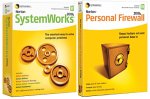
Symantec Norton Systemworks 2004 & Firewall 2004 Bundle

Compare prices and read reviews for the Symantec Norton Systemworks 2004 & Firewall 2004 Bundle Anti Virus Software then buy online and save
Symantec Norton Systemworks 2004 & Firewall 2004 Bundle Anti Virus Software
£££ Answer Questions - Earn Vouchers!
Facilities
Featured Product
Symantec Norton Systemworks 2004 & Firewall 2004 Bundle
£69.99 more info...
What's Hot


Shop by Make
Shop by Category
Popular
 Location:  Home / Computer Software / Anti Virus Software / Symantec Norton Systemworks 2004 & Firewall 2004 Bundle

Symantec Norton Systemworks 2004 & Firewall 2004 Bundle
Norton Systemworks 2004 & Firewall 2004 Bundle. (Barcode EAN = 5390077987324).

Click Here to Buy for
£69.99

5 out of 5

Symantec Norton Systemworks 2004 & Firewall 2004 Bundle

Ads by Google


Where to Buy Online
Click on the shop name to visit their website and buy this product (cheapest price in red).
(note: Please make sure you double check the product details on the shop's site BEFORE you order the Symantec Norton Systemworks 2004 & Firewall 2004 Bundle and also read our Accuracy of Product Information statement below. )
Amazon    Symantec Norton Systemworks 2004 & Firewall 2004 Bundle at Amazon £69.99
Current Amazon Offers
Up to 50% off Playstation 3 Games

CLICK HERE to see all Amazon offers
Want it for less? Request a Price Alert
More Symantec Anti Virus Software
More Anti Virus Software
More matches for 'Norton Systemworks 2004 & Firewall 2004 Bundle'


Don't miss out on special deals

Our technology compares millions of store prices every day.
Set an alert for when the price drops or goes on special Offer.
Your Email:
Alert me when the Price goes Below: £


User Reviews
Average Rating:  5 out of 5

Link to This Page

There are 10 reviews for this product.

After buying a new PC with Windows XP SP2 pre-installed I decided to try this Norton Systemworks / Norton Firewall bundle. Before attempting to install it on my PC, I disabled Windows own built in Firewall. Im pleased to say that all the Norton software installed on to my PC first time without any problems or conflicts with Windows whatsoever. The Windows XP Security Centre detected both Norton Firewall and Norton Antivirus and let me select these as the default protection. The software has worked perfectly for two weeks and I have not encountered any system slow down.
As for the Norton software itself, Firewall is great for blocking pop-ups and intrusive advertising whilst browsing the internet. It also allows you to set your own preferred level of security. Firewall will alert you if a program on your PC trys to send information over the internet and provide you with relevant details so you can choose whether to block it or not.
Antivirus ensures that your PC remains virus free. You can choose to leave it running in the background so youre protected at all times and the virus protection also extends to the scanning of all emails.
Systemworks contains a number of handy features, as well as some that you probably will never use. CleanSweep is an easy way to delete viewed internet pages and webpage cookies. You can do this manually in Windows without using the Norton software, CleanSweep just makes it easier. Norton Utilities performs checks on your PC to ensure the Registry is running efficiently, as well as containing a hard disk checker, system resources monitor and defragmenter. Perhaps the handiest feature is `One Button Checkup` where most of the above features are combined into a single `health` check of your PC, all at the single touch of a button.
I have not installed Norton Password Manager or Norton Go Back as these are not features I wish to use. And whilst this software contains a number of things that are surplus to requirements, it does contain a number of essential features that work well with Windows XP SP2.

Reviewed by: Amazon Reviewer   Rating: 5 out of 5  Date Reviewed: 26Sep2004
 
After buying a new PC with Windows XP SP2 pre-installed I decided to try this Norton Systemworks / Norton Firewall bundle. Before attempting to install it on my PC, I disabled Windows own built in Firewall. Im pleased to say that all the Norton software installed on to my PC first time without any problems or conflicts with Windows whatsoever. The Windows XP Security Centre detected both Norton Firewall and Norton Antivirus and let me select these as the default protection. The software has worked perfectly for two weeks and I have not encountered any system slow down.
As for the Norton software itself, Firewall is great for blocking pop-ups and intrusive advertising whilst browsing the internet. It also allows you to set your own preferred level of security. Firewall will alert you if a program on your PC trys to send information over the internet and provide you with relevant details so you can choose whether to block it or not.
Antivirus ensures that your PC remains virus free. You can choose to leave it running in the background so youre protected at all times and the virus protection also extends to the scanning of all emails.
Systemworks contains a number of handy features, as well as some that you probably will never use. CleanSweep is an easy way to delete viewed internet pages and webpage cookies. You can do this manually in Windows without using the Norton software, CleanSweep just makes it easier. Norton Utilities performs checks on your PC to ensure the Registry is running efficiently, as well as containing a hard disk checker, system resources monitor and defragmenter. Perhaps the handiest feature is `One Button Checkup` where most of the above features are combined into a single `health` check of your PC, all at the single touch of a button.
I have not installed Norton Password Manager or Norton Go Back as these are not features I wish to use. And whilst this software contains a number of things that are surplus to requirements, it does contain a number of essential features that work well with Windows XP SP2.

Reviewed by: Amazon Reviewer   Rating: 5 out of 5  Date Reviewed: 26Sep2004
 
After buying a new PC with Windows XP SP2 pre-installed I decided to try this Norton Systemworks / Norton Firewall bundle. Before attempting to install it on my PC, I disabled Windows own built in Firewall. Im pleased to say that all the Norton software installed on to my PC first time without any problems or conflicts with Windows whatsoever. The Windows XP Security Centre detected both Norton Firewall and Norton Antivirus and let me select these as the default protection. The software has worked perfectly for two weeks and I have not encountered any system slow down.
As for the Norton software itself, Firewall is great for blocking pop-ups and intrusive advertising whilst browsing the internet. It also allows you to set your own preferred level of security. Firewall will alert you if a program on your PC trys to send information over the internet and provide you with relevant details so you can choose whether to block it or not.
Antivirus ensures that your PC remains virus free. You can choose to leave it running in the background so youre protected at all times and the virus protection also extends to the scanning of all emails.
Systemworks contains a number of handy features, as well as some that you probably will never use. CleanSweep is an easy way to delete viewed internet pages and webpage cookies. You can do this manually in Windows without using the Norton software, CleanSweep just makes it easier. Norton Utilities performs checks on your PC to ensure the Registry is running efficiently, as well as containing a hard disk checker, system resources monitor and defragmenter. Perhaps the handiest feature is `One Button Checkup` where most of the above features are combined into a single `health` check of your PC, all at the single touch of a button.
I have not installed Norton Password Manager or Norton Go Back as these are not features I wish to use. And whilst this software contains a number of things that are surplus to requirements, it does contain a number of essential features that work well with Windows XP SP2.

Reviewed by: Amazon Reviewer   Rating: 5 out of 5  Date Reviewed: 26Sep2004
 
After buying a new PC with Windows XP SP2 pre-installed I decided to try this Norton Systemworks / Norton Firewall bundle. Before attempting to install it on my PC, I disabled Windows own built in Firewall. Im pleased to say that all the Norton software installed on to my PC first time without any problems or conflicts with Windows whatsoever. The Windows XP Security Centre detected both Norton Firewall and Norton Antivirus and let me select these as the default protection. The software has worked perfectly for two weeks and I have not encountered any system slow down.
As for the Norton software itself, Firewall is great for blocking pop-ups and intrusive advertising whilst browsing the internet. It also allows you to set your own preferred level of security. Firewall will alert you if a program on your PC trys to send information over the internet and provide you with relevant details so you can choose whether to block it or not.
Antivirus ensures that your PC remains virus free. You can choose to leave it running in the background so youre protected at all times and the virus protection also extends to the scanning of all emails.
Systemworks contains a number of handy features, as well as some that you probably will never use. CleanSweep is an easy way to delete viewed internet pages and webpage cookies. You can do this manually in Windows without using the Norton software, CleanSweep just makes it easier. Norton Utilities performs checks on your PC to ensure the Registry is running efficiently, as well as containing a hard disk checker, system resources monitor and defragmenter. Perhaps the handiest feature is `One Button Checkup` where most of the above features are combined into a single `health` check of your PC, all at the single touch of a button.
I have not installed Norton Password Manager or Norton Go Back as these are not features I wish to use. And whilst this software contains a number of things that are surplus to requirements, it does contain a number of essential features that work well with Windows XP SP2.

Reviewed by: Amazon Reviewer   Rating: 5 out of 5  Date Reviewed: 26Sep2004
 
After buying a new PC with Windows XP SP2 pre-installed I decided to try this Norton Systemworks / Norton Firewall bundle. Before attempting to install it on my PC, I disabled Windows own built in Firewall. Im pleased to say that all the Norton software installed on to my PC first time without any problems or conflicts with Windows whatsoever. The Windows XP Security Centre detected both Norton Firewall and Norton Antivirus and let me select these as the default protection. The software has worked perfectly for two weeks and I have not encountered any system slow down.
As for the Norton software itself, Firewall is great for blocking pop-ups and intrusive advertising whilst browsing the internet. It also allows you to set your own preferred level of security. Firewall will alert you if a program on your PC trys to send information over the internet and provide you with relevant details so you can choose whether to block it or not.
Antivirus ensures that your PC remains virus free. You can choose to leave it running in the background so youre protected at all times and the virus protection also extends to the scanning of all emails.
Systemworks contains a number of handy features, as well as some that you probably will never use. CleanSweep is an easy way to delete viewed internet pages and webpage cookies. You can do this manually in Windows without using the Norton software, CleanSweep just makes it easier. Norton Utilities performs checks on your PC to ensure the Registry is running efficiently, as well as containing a hard disk checker, system resources monitor and defragmenter. Perhaps the handiest feature is `One Button Checkup` where most of the above features are combined into a single `health` check of your PC, all at the single touch of a button.
I have not installed Norton Password Manager or Norton Go Back as these are not features I wish to use. And whilst this software contains a number of things that are surplus to requirements, it does contain a number of essential features that work well with Windows XP SP2.

Reviewed by: Amazon Reviewer   Rating: 5 out of 5  Date Reviewed: 26Sep2004
 
After buying a new PC with Windows XP SP2 pre-installed I decided to try this Norton Systemworks / Norton Firewall bundle. Before attempting to install it on my PC, I disabled Windows own built in Firewall. Im pleased to say that all the Norton software installed on to my PC first time without any problems or conflicts with Windows whatsoever. The Windows XP Security Centre detected both Norton Firewall and Norton Antivirus and let me select these as the default protection. The software has worked perfectly for two weeks and I have not encountered any system slow down.
As for the Norton software itself, Firewall is great for blocking pop-ups and intrusive advertising whilst browsing the internet. It also allows you to set your own preferred level of security. Firewall will alert you if a program on your PC trys to send information over the internet and provide you with relevant details so you can choose whether to block it or not.
Antivirus ensures that your PC remains virus free. You can choose to leave it running in the background so youre protected at all times and the virus protection also extends to the scanning of all emails.
Systemworks contains a number of handy features, as well as some that you probably will never use. CleanSweep is an easy way to delete viewed internet pages and webpage cookies. You can do this manually in Windows without using the Norton software, CleanSweep just makes it easier. Norton Utilities performs checks on your PC to ensure the Registry is running efficiently, as well as containing a hard disk checker, system resources monitor and defragmenter. Perhaps the handiest feature is `One Button Checkup` where most of the above features are combined into a single `health` check of your PC, all at the single touch of a button.
I have not installed Norton Password Manager or Norton Go Back as these are not features I wish to use. And whilst this software contains a number of things that are surplus to requirements, it does contain a number of essential features that work well with Windows XP SP2.

Reviewed by: Amazon Reviewer   Rating: 5 out of 5  Date Reviewed: 26Sep2004
 
After buying a new PC with Windows XP SP2 pre-installed I decided to try this Norton Systemworks / Norton Firewall bundle. Before attempting to install it on my PC, I disabled Windows own built in Firewall. Im pleased to say that all the Norton software installed on to my PC first time without any problems or conflicts with Windows whatsoever. The Windows XP Security Centre detected both Norton Firewall and Norton Antivirus and let me select these as the default protection. The software has worked perfectly for two weeks and I have not encountered any system slow down.
As for the Norton software itself, Firewall is great for blocking pop-ups and intrusive advertising whilst browsing the internet. It also allows you to set your own preferred level of security. Firewall will alert you if a program on your PC trys to send information over the internet and provide you with relevant details so you can choose whether to block it or not.
Antivirus ensures that your PC remains virus free. You can choose to leave it running in the background so youre protected at all times and the virus protection also extends to the scanning of all emails.
Systemworks contains a number of handy features, as well as some that you probably will never use. CleanSweep is an easy way to delete viewed internet pages and webpage cookies. You can do this manually in Windows without using the Norton software, CleanSweep just makes it easier. Norton Utilities performs checks on your PC to ensure the Registry is running efficiently, as well as containing a hard disk checker, system resources monitor and defragmenter. Perhaps the handiest feature is `One Button Checkup` where most of the above features are combined into a single `health` check of your PC, all at the single touch of a button.
I have not installed Norton Password Manager or Norton Go Back as these are not features I wish to use. And whilst this software contains a number of things that are surplus to requirements, it does contain a number of essential features that work well with Windows XP SP2.

Reviewed by: Amazon Reviewer   Rating: 5 out of 5  Date Reviewed: 26Sep2004
 
After buying a new PC with Windows XP SP2 pre-installed I decided to try this Norton Systemworks / Norton Firewall bundle. Before attempting to install it on my PC, I disabled Windows own built in Firewall. Im pleased to say that all the Norton software installed on to my PC first time without any problems or conflicts with Windows whatsoever. The Windows XP Security Centre detected both Norton Firewall and Norton Antivirus and let me select these as the default protection. The software has worked perfectly for two weeks and I have not encountered any system slow down.
As for the Norton software itself, Firewall is great for blocking pop-ups and intrusive advertising whilst browsing the internet. It also allows you to set your own preferred level of security. Firewall will alert you if a program on your PC trys to send information over the internet and provide you with relevant details so you can choose whether to block it or not.
Antivirus ensures that your PC remains virus free. You can choose to leave it running in the background so youre protected at all times and the virus protection also extends to the scanning of all emails.
Systemworks contains a number of handy features, as well as some that you probably will never use. CleanSweep is an easy way to delete viewed internet pages and webpage cookies. You can do this manually in Windows without using the Norton software, CleanSweep just makes it easier. Norton Utilities performs checks on your PC to ensure the Registry is running efficiently, as well as containing a hard disk checker, system resources monitor and defragmenter. Perhaps the handiest feature is `One Button Checkup` where most of the above features are combined into a single `health` check of your PC, all at the single touch of a button.
I have not installed Norton Password Manager or Norton Go Back as these are not features I wish to use. And whilst this software contains a number of things that are surplus to requirements, it does contain a number of essential features that work well with Windows XP SP2.

Reviewed by: Amazon Reviewer   Rating: 5 out of 5  Date Reviewed: 26Sep2004
 
Actually own this already and believe that Nortons Programs are really very good. Have used them for years. Purchased this for a friend because they were having so much trouble with their computer and I know this will solve the problems. A well worth purchase. Simple to use and updates of viruses are available regularly. Keeping you on top of things Buy it - you wont be sorry!

Reviewed by: Amazon Reviewer   Rating: 4 out of 5  Date Reviewed: 03Jul2004
 
I have been a long time user of Symantec products, and switched over to this product shortly after it was released
Since then, i have encountered repeated problems with the software and it does not appear to get any better
The product is awful with any kind of network imho, and the main contribution from tech support, though admittadly very good, is a pain - each time I reboot a pc on my network, I end up having to reinstall the product again
I am so disgusted with the product i shall probably go back to using systemworks 2003 and firewall 2003 - at least they work as they should do. Failing that, after some 8 years of dedicated symantec product use I will probably change to another product

Reviewed by: Amazon Reviewer   Rating: 1 out of 5  Date Reviewed: 08Mar2004
 
Bookmark and Share

If you own this product then please write a review to help others:

Rate this product out of 5: 1 2 3 4 5

Name you would like displayed with the review:
Amazon discount code

Newsletter

Join our mailing list and be kept informed of product news and SPECIAL OFFERS.

Your Email address:

Accuracy of Product Information
All product features, images, prices and other information published on our website have either been made accessible by suppliers or been gathered from public-domain sources. Advanced System Technologies Ltd. makes every effort to ensure all information on this website is as accurate and up to date as possible. However, Advanced System Technologies Ltd. cannot guarantee the reliability or the accuracy of the information contained within its pages. All the actions taken by the user of the website are the responsibility of the individual.


Copyright © 1999,2009 Advanced System Technologies Limited. All Rights Reserved.
All information on this site is presented as a guide. Advanced System Technologies Ltd. accepts no responsibilty for the accuracy of any information contained on the pages within this site.
The CompareStorePrices.co.uk device is a registered trademark of Advanced System Technologies Limited.
All other trademarks and devices are the property of their respective owners.